November 2026 patch week: the two updates a small business should install
Two security fixes from the past week deserve ten minutes of your time. One is for the Windows computers in your office, where a flaw in Outlook was being used by attackers before the fix existed. The other is for a specific kind of Linux server and container, where a bug nicknamed SSHole lets a stranger log in with a nonsense password. Here is what each one is, how to tell whether it concerns you, and what to do.
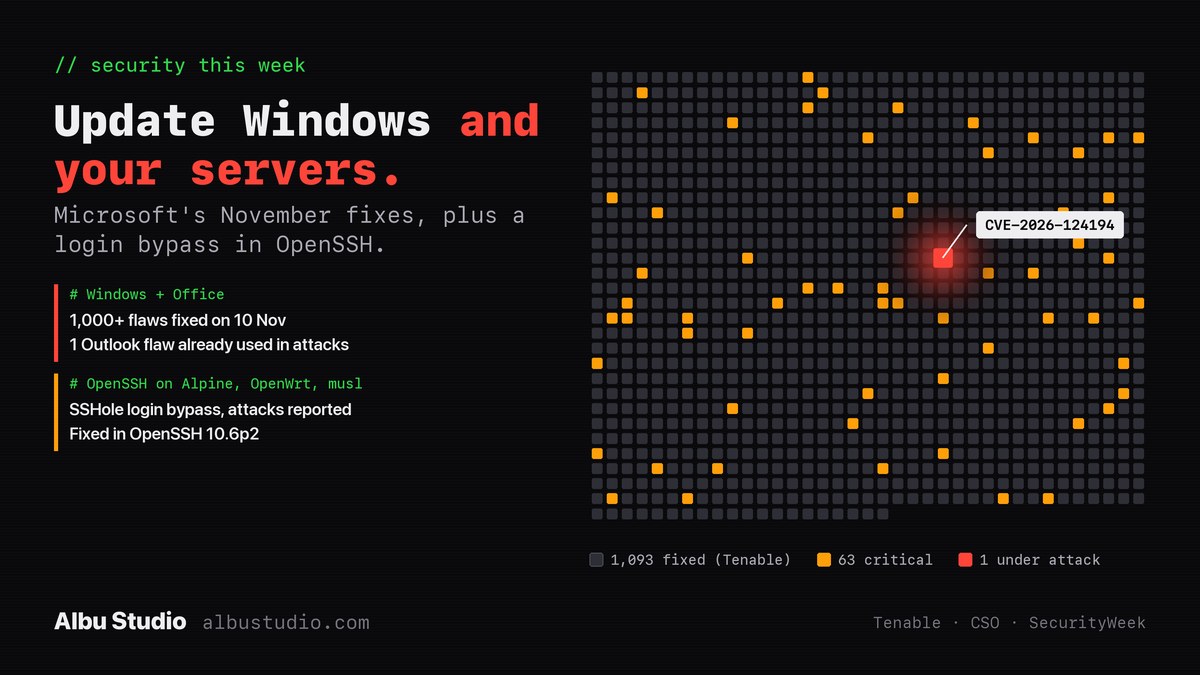
1. Windows and Office: the Outlook flaw that was already in use
Microsoft released its November security updates on Tuesday 10 November 2026. Depending on who counts and whether third-party components are included, the total is somewhere between about 1,090 and 1,235 flaws; CSO Online counts 1,094, of which 63 are rated critical. The exact number matters less than one entry on the list.
That entry is CVE-2026-124194, a flaw in classic Outlook that Microsoft says was exploited before the fix. When a person opens a specially crafted file, Outlook quietly connects to a server chosen by the attacker, without the usual warning about external content, and hands over the user's NTLMv2 hash. That hash is a scrambled form of the Windows password. An attacker can replay it at once to sign in to another service as that person, or take it away and try to crack the password.
- Severity: 6.5 out of 10. Not the highest number this month, but it is the only flaw Microsoft knows was used in real attacks.
- It needs a person to open the file. According to Rapid7, looking at a message in the Preview Pane is not enough.
- CSO Online lists Microsoft 365 Apps for Enterprise and Office LTSC 2021 and 2024 among the affected products; Rapid7 says all supported versions of classic Outlook get a fix.
What to do on each Windows PC
- Open Settings > Windows Update, choose Check for updates, install everything offered and restart.
- Update Office separately. In Outlook or Word open File > Account (in Outlook: File > Office Account) > Update Options > Update Now. Office does not always update together with Windows, and this fix is an Office one.
- Do it on every computer, including the one in the back office that nobody restarts.
- Remind people of the old rule: an unexpected attachment is not opened, even when it appears to come from a colleague.
If one password opens both Windows and email, a stolen hash is worth far more to an attacker. Two-step sign-in on email and on anything reachable from the internet limits the damage of a leak like this one.
2. Servers and containers: the OpenSSH bug called SSHole
OpenSSH is the program that lets administrators sign in to Linux servers remotely. On 5 November 2026 its developers released version 10.6p2 to close a password bypass, tracked as CVE-2026-123158. On affected systems an attacker can sign in to certain accounts by sending any very long password, longer than about 256 characters.
It does not affect every Linux system. All of the following have to be true:
- The system is built on musl libc instead of glibc. Alpine Linux is the best-known example, and Alpine is the base of a great many Docker images.
- OpenSSH is built without PAM. Alpine's standard openssh-server package is built that way.
- Password login is switched on, which is the OpenSSH default.
- The account's password field is just an asterisk, the usual marking for "this account has no password": key-only deploy users, the default user on Alpine's cloud images and, on recent Alpine versions, root.
According to the researcher who found it, as reported by Help Net Security, systems built on glibc such as Debian, Ubuntu and Fedora are not affected, and neither are setups that use PAM, the Dropbear SSH server, or OpenBSD. OpenWrt routers use Dropbear by default, so they are only in question if someone installed OpenSSH on them. Buildroot and Yocto images, common in embedded devices, are worth checking.
This one moved fast. Help Net Security reports that the security firm Previdian recorded the first attack on its decoy server less than nine hours after the flaw was published.
What to do on a server
- Find out what you run. On the server, cat /etc/os-release names the distribution and ssh -V prints the OpenSSH version. Anything on Alpine with OpenSSH older than 10.6p2 needs attention, and so does every container that runs its own SSH server.
- Update. On Alpine, apk update followed by apk upgrade openssh installs the patched package; Alpine published fixes for every branch from 3.16 to edge on the same day.
- Restart the SSH service after the update, because the running program keeps the old code until then. On Alpine: rc-service sshd restart.
- If you cannot update today, switch off password login. Put the line below into /etc/ssh/sshd_config and restart sshd. Make sure your key login works first, or you will lock yourself out.
PasswordAuthentication noThen look back. Search the system log for lines containing "Accepted password for" that name an account which has no password. If you find one you cannot explain, treat the machine as broken into: check for new users and for unfamiliar entries in authorized_keys files, and rebuild it if in doubt.
Key-only login is the right setting for any server on the internet, with or without this bug. A server that never accepts passwords has nothing for a password bypass to bypass.
If nobody in the company looks after this
Most small businesses have no person whose job is updates. The PCs get updated when Windows insists, and the server that was set up three years ago runs untouched. Weeks like this one are when that becomes a risk. We do this kind of check as a fixed-price job: every computer and server listed, updated and confirmed, with a one-page report of what was found.